Skip to the main content.

diamond-badge-color

We've Got You Covered

Let us develop, create, and execute marketing campaigns to help you achieve your business goals.

Providing Solutions to Help You Level-Up Your Business

Everything and the kitchen sink.
Stay Connected!

Subscribe to our learning center today.


The Latest

Vested Marketing, hot topics of the inbound marketing industry, case studies, monthly educational content, and more!
Stay Connected!

Subscribe to our learning center today.

Facebook icon  Inta   Vested Marketing's X page  Vested Marketing's Linked In Page

We Partner with the Best

Taking our performance to new heights by teaming up with outstanding companies.


Vested's partners (logo): HubSpot, CLEAN, Shopify, Flowcode, accessiBe, ClickUp, Vidyard

Our Partners

6 min read

Why HubSpot Isn’t Driving Revenue and How to Fix It

Why HubSpot Isn’t Driving Revenue and How to Fix It
11:13

HubSpot CRM usually “isn’t driving revenue” because the system is tracking activity, not tracking a revenue path, like clear lifecycle stages, clean data, defined handoffs, and a workable HubSpot Sales Hub pipeline. Fix it by tightening your HubSpot CRM foundation, aligning HubSpot Marketing Hub to sales-ready definitions, and enforcing a consistent process through HubSpot Sales Hub automation and reporting.

HubSpot CRM can show strong traffic, form fills, and email engagement while revenue stays flat. When that happens, the issue is rarely that HubSpot does not work. It is usually that HubSpot is not set up to connect marketing activity to sales outcomes.

The symptoms are consistent. Reports do not reflect reality, deals stall without clear next steps, and leads include both strong fits and random inquiries. In that state, HubSpot becomes a database, not a revenue engine.

For teams using HubSpot CRM, HubSpot Marketing Hub, and HubSpot Sales Hub, the fix is not a full rebuild. It is about correcting the gaps that stop revenue from moving and aligning the system around how deals are actually won.

HubSpot Sales Hub - Learn More CTA.

Why is HubSpot CRM not driving revenue even with high traffic?

HubSpot CRM is not driving revenue when traffic is not being converted into sales-qualified demand, or when sales cannot consistently move demand through a HubSpot Sales Hub pipeline.

Common root causes

  • Your “lead” definition is fuzzy in HubSpot CRM, so sales chases low intent contacts
  • HubSpot Marketing Hub is optimizing for conversions, not qualified conversations
  • HubSpot Sales Hub pipeline stages are unclear, so deals stagnate and forecasts lie
  • Tracking is incomplete, especially around sources, campaigns, and offline activity
  • Handoffs are not enforced, so speed-to-lead and follow-up consistency collapse

What “fixed” looks like

  • Every contact in HubSpot CRM has a clear lifecycle stage and lead status
  • Every deal in HubSpot Sales Hub has an owner, next step, and stage exit criteria
  • HubSpot Marketing Hub reporting can answer, “What created revenue?” not only “What got clicks?”

What HubSpot CRM setup issues stop revenue attribution and reporting?

Revenue attribution and reporting break when HubSpot CRM properties, tracking, and object relationships are inconsistent or incomplete.

HubSpot CRM foundation checks
  • Lifecycle stages are not mapped to your real funnel (for example, everyone stays as Lead)
  • Lead status is missing or unused, so the system cannot show where leads stall
  • Deal creation is not standardized, so some revenue never becomes a deal in HubSpot Sales Hub
  • UTM governance is absent, so “Direct traffic” becomes a junk drawer
  • Critical properties are optional, so segmentation and reporting are unreliable

Fix the foundation in this order

  1. Define lifecycle stages in HubSpot CRM that match your real buyer journey
  2. Standardize lead status in HubSpot CRM so “new,” “working,” and “nurture” mean something
  3. Require key fields at conversion points (forms, meeting booked, deal created)
  4. Create a consistent deal creation rule (who, when, and from what trigger)
  5. Lock down UTM conventions for HubSpot Marketing Hub campaigns

How do lifecycle stages and lead status in HubSpot CRM impact revenue?

Lifecycle stages and lead status in HubSpot CRM impact revenue because they determine prioritization, handoffs, and what your team measures.

Why this matters

If a contact becomes a Marketing Qualified Lead in HubSpot CRM but no one treats that stage as a required sales action, revenue will not move. If Lead status is not updated, you cannot diagnose where leads die.

Practical setup that drives revenue

  • Lifecycle stage answers “where are they in the funnel?”
  • Lead status answers “what is happening right now?”

Example workflow you can implement

  • HubSpot Marketing Hub form submission creates a contact with Lifecycle stage: Lead
  • A scoring or qualification rule updates to Lifecycle stage: Marketing Qualified Lead
  • A HubSpot Sales Hub task is created and assigned, Lead status becomes New
  • Sales updates Lead status to Working or Nurture, with a required reason
  • When a discovery call is booked, HubSpot Sales Hub creates a deal and sets the Lifecycle stage: Sales Qualified Lead

Common mistakes to avoid

  • Treating Marketing Qualified Lead as “marketing did their job,” instead of “sales must act”
  • Having too many Lead status values that no one uses consistently
  • Allowing lifecycle stage changes to happen manually with no governance

What HubSpot Sales Hub pipeline mistakes prevent deals from closing?

HubSpot Sales Hub pipelines fail when stages are vague, exit criteria are missing, and reps do not have a consistent next step.

Pipeline problems that kill revenue

  • Stages describe internal activity, not buyer commitment (for example, “Proposal Sent” with no definition)
  • No exit criteria, so deals sit in a stage forever
  • Next step is not required, so follow-up is random
  • Close date is meaningless, so forecasting is noise
  • Multiple pipelines exist for no reason, so reporting fragments

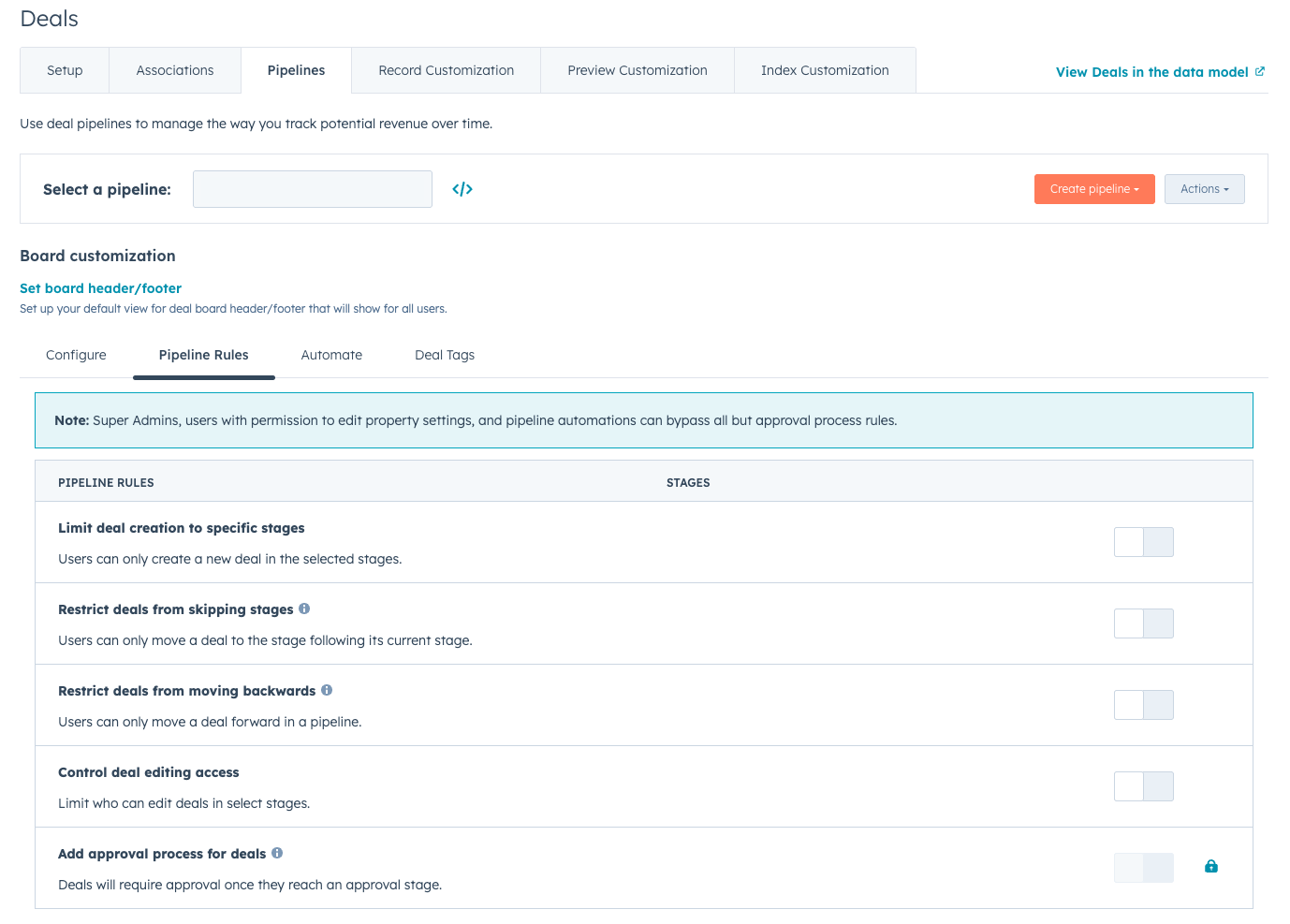
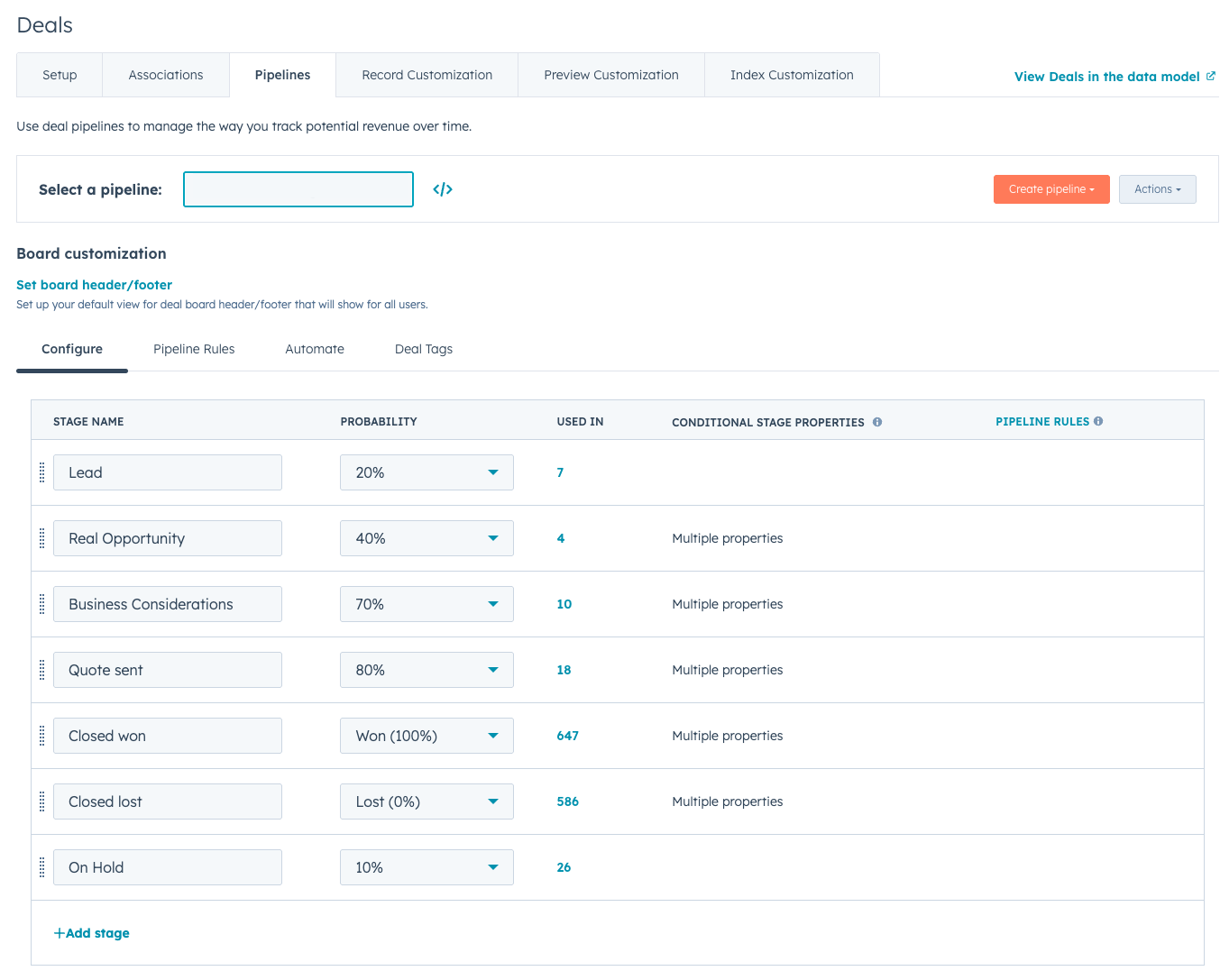
Fix the HubSpot Sales Hub pipeline quickly

  • Rewrite stages so they reflect buyer progress (clear, observable milestones)
  • Add stage exit criteria in the deal record description or playbooks
  • Require these fields on every open deal in HubSpot Sales Hub:
    • Next step
    • Next activity date
    • Amount
    • Close date
    • Primary contact
  • Use HubSpot Sales Hub sequences for consistent follow-up after key moments (demo, proposal, ghosted)

How do HubSpot Marketing Hub campaigns fail to create sales-ready leads?

HubSpot Marketing Hub campaigns fail to create sales-ready leads when content offers are not aligned to buying intent, and qualification is not built into the conversion.

What to look for in HubSpot Marketing Hub

  • Forms that ask too little (you cannot route correctly) or too much (you tank conversions)
  • Calls to action that attract students, not buyers
  • Landing pages that explain features, but not outcomes
  • Email nurturing that drives engagement, but not meetings

How to shift HubSpot Marketing Hub to revenue

  • Create offers for each intent level:
    • High intent: pricing, demo, assessment, consultation
    • Mid intent: comparison guides, implementation checklists
    • Low intent: educational blogs, newsletters
  • Add lightweight qualification to HubSpot Marketing Hub forms:
    • Use-case selection
    • Company size range
    • Timeline range
  • Route based on intent, not only on persona, using HubSpot CRM workflows

What HubSpot automation gaps cause leads to stall or go cold?

Leads stall when HubSpot automation does not enforce ownership, speed-to-lead, and next actions in HubSpot CRM and HubSpot Sales Hub.

The automation gaps that matter most

  • No immediate owner assignment, so no one follows up
  • No follow-up tasks, so “inbox hope” replaces a process
  • No SLA reminders, so response time drifts
  • No re-engagement paths, so stalled leads disappear
  • No feedback loop to HubSpot Marketing Hub, so campaigns never improve

A simple revenue automation blueprint

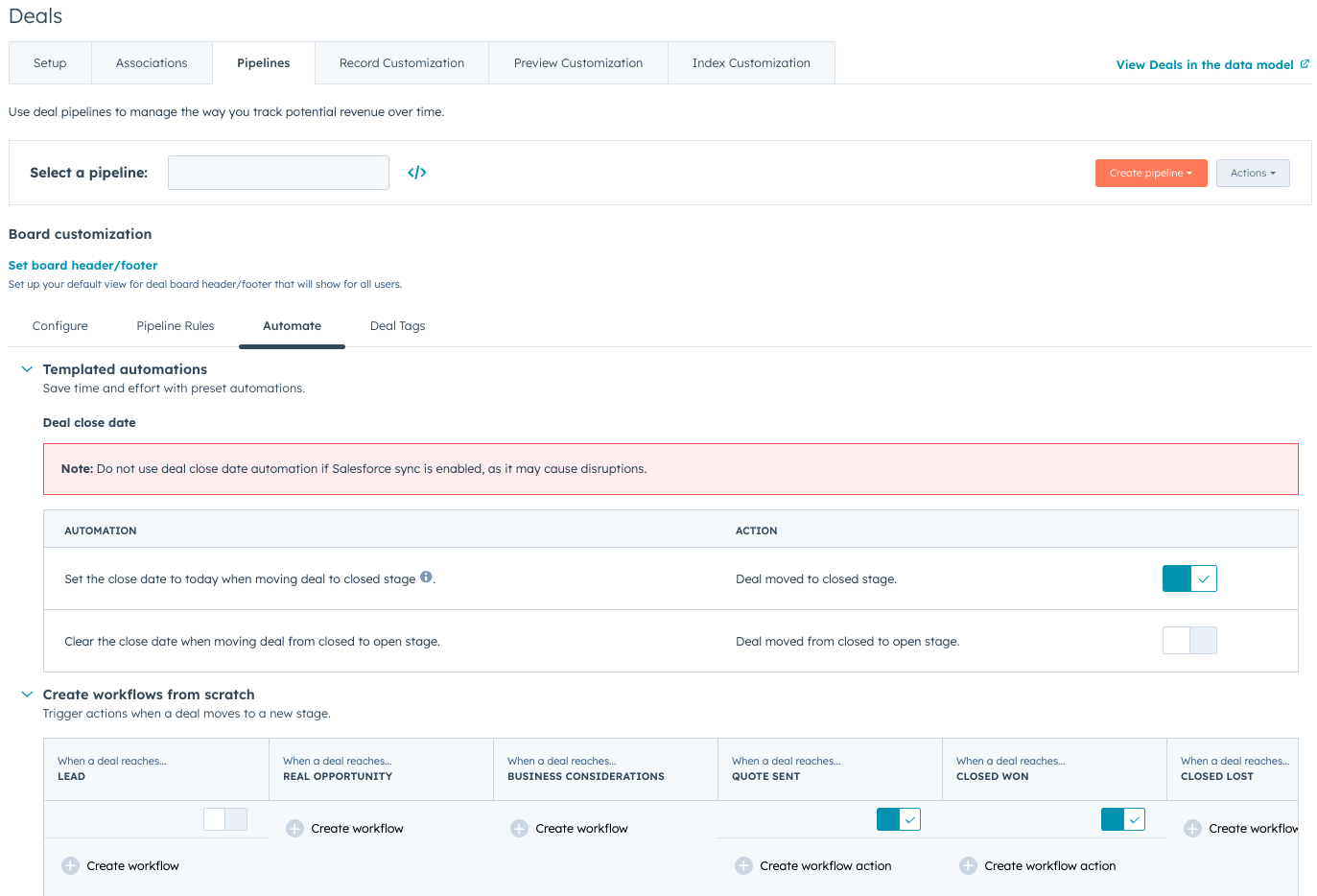
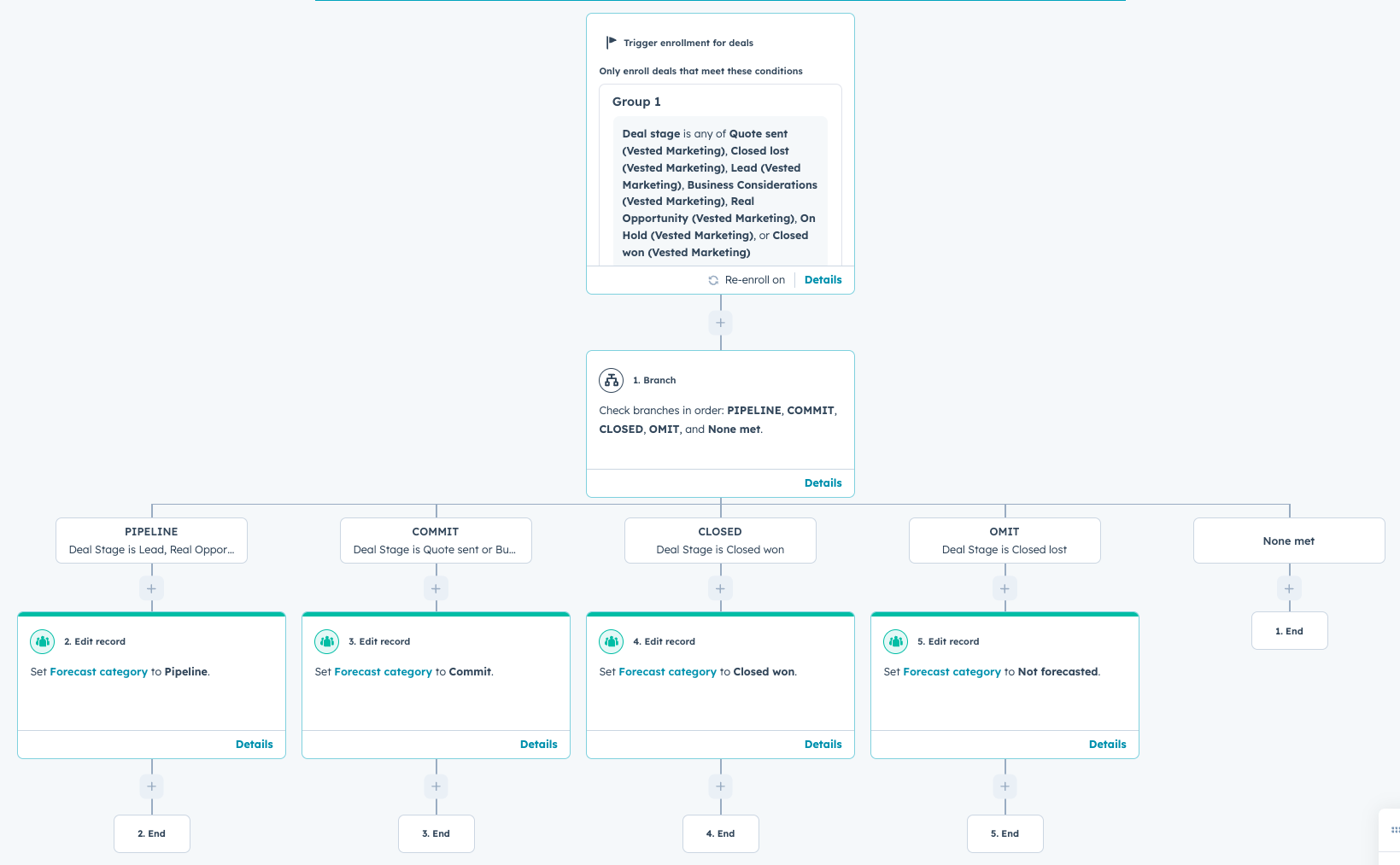
  • HubSpot CRM workflow: assign owner based on territory, deal type, or round robin
  • HubSpot Sales Hub workflow: create tasks at the moment of conversion
  • HubSpot Sales Hub sequence: auto-enroll when a lead meets high-intent criteria
  • HubSpot CRM workflow: if no activity in 2 business days, escalate to a manager
  • HubSpot Marketing Hub workflow: if lead status becomes Nurture, add to a targeted nurture stream

How do you build a revenue dashboard in HubSpot CRM that executives trust?

You build an executive-trusted dashboard in HubSpot CRM by standardizing inputs first, then reporting only on metrics that map to decisions.

Inputs you must standardize before reporting

  • HubSpot Sales Hub pipeline stages and required deal fields
  • Lifecycle stages and lead status in HubSpot CRM
  • Campaign tracking hygiene in HubSpot Marketing Hub

Executive dashboard sections that work
  • Revenue Performance
    • Closed won revenue by month
    • Average sales cycle length
    • Win rate by pipeline
  • Pipeline Health
    • Pipeline value by stage
    • Deals with no next step
    • Deals past close date
  • Demand Quality
    • Marketing Qualified Lead to Sales Qualified Lead conversion
    • Meetings booked by source in HubSpot CRM
    • Deals created by source in HubSpot CRM

A trust-building rule

If a number will cause someone to act, define exactly how it is calculated, and ensure HubSpot CRM fields required for that calculation are enforced.

How do you fix HubSpot CRM so sales and marketing operate as one team?

You fix HubSpot CRM alignment by agreeing on definitions, building a clear handoff, and using HubSpot CRM automation to enforce the process.

Alignment steps that create revenue

  1. pipeDefine a Marketing Qualified Lead in HubSpot CRM with clear criteria
  2. Define a Sales Qualified Lead in HubSpot CRM based on a real sales milestone
  3. Set an SLA for follow-up in HubSpot Sales Hub, including what “attempted” means
  4. Create a closed-loop feedback process using Lead status and rejection reasons in HubSpot CRM
  5. Review a single revenue dashboard monthly and make one change at a time

What to document so it sticks

  • Lifecycle stage definitions in HubSpot CRM
  • Lead status definitions in HubSpot CRM
  • HubSpot Sales Hub stage exit criteria
  • Routing rules and exceptions
  • Required fields at each conversion point

Turn HubSpot Into a Revenue Engine

HubSpot should do more than track activity. When your CRM, marketing, and sales processes are fully aligned, HubSpot becomes a system that creates accountability, visibility, and measurable revenue growth.

At Vested Marketing, we help B2B teams fix the gaps that keep HubSpot from driving real results. From lifecycle stage design and pipeline strategy to automation, attribution, and executive dashboards, we build HubSpot systems that connect content, campaigns, and sales activity directly to revenue.

If HubSpot feels busy but not effective, it is time to make it work the way it was intended.


Vested CTA - Are your marketing, sales and systems alighned for growth?

FAQs


About Vested Marketing

Favicon - ColorAs a certified HubSpot Partner Agency, we not only understand the benefits of using the inbound marketing platform to increase traffic and engagement, improve SEO, generate leads, design effective websites and boost sales, we know how to make it happen.

We are inbound marketing experts, SEO gurus and top-notch website developers.

Our team of Engineers Turned Marketers can help get you noticed - for a more innovative and effective way to reach customers, or provide a more seamless way for companies to find your services. Inbound Marketing has no limit to industry, serving from Crypto & NFT, mining, oil and gas, technology & automation, engineering, technology, construction, healthcare, specialty pharmacy, to industrial & manufacturing.


Related Posts

Why Content Marketing Fails Without a Strong CRM Strategy

Why Content Marketing Fails Without a Strong CRM Strategy

Great content builds awareness, but a strong CRM strategy turns it into measurable revenue. By connecting content interactions to customer...

Read More
Mastering Your HubSpot Sales Pipeline: A Step‑by‑Step Guide

Mastering Your HubSpot Sales Pipeline: A Step‑by‑Step Guide

A well‑tuned sales pipeline is the backbone of predictable, scalable growth. If you’re using HubSpot—or considering it—you already have powerful...

Read More
How Can You Use Loop Marketing to Strengthen Content and AEO?

How Can You Use Loop Marketing to Strengthen Content and AEO?

You can use Loop Marketing to strengthen content and AEO by following its four continuous stages (Express, Tailor, Amplify, and Evolve)to...

Read More